Your car's whole story.
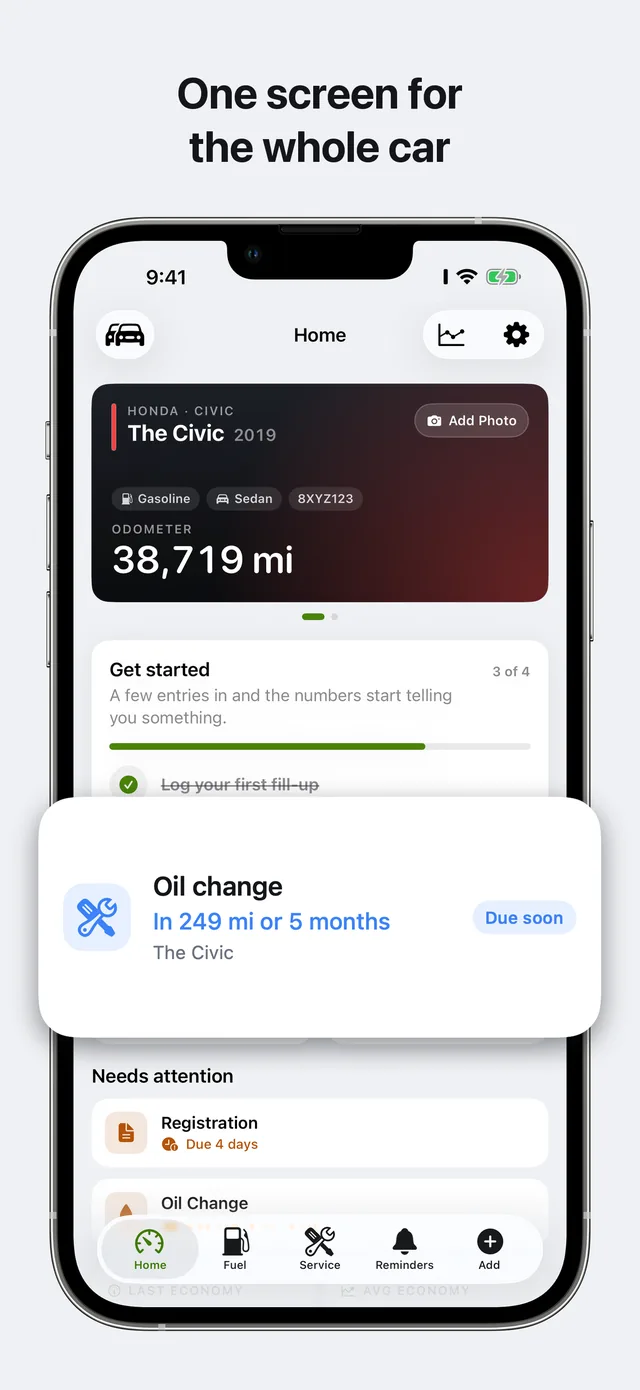
Gas or EV: log a fill-up or charging session in seconds. Real full-tank MPG, charging costs, battery health, and smart service reminders — kept 100% offline on your iPhone and your private iCloud.
What your car actually costs to run
Every page pairs the EPA's laboratory figures with what owners actually report, shows the gap between them, and turns both into cents per mile at a fuel price you set. Figures are public-domain federal data; owner samples are shown with their size so you can judge them.
Sources and method: how these figures are built.
A car is measurable, and the measurements are worth money
Check engine light? Instant diagnosis before the shop
Plain-English root causes, symptoms, repair urgency, and typical repair cost ranges for the most common OBD-II trouble codes. Includes tested Bluetooth scanner recommendations to read codes yourself in two minutes.
Interactive car ownership & fuel tools
Instant in-browser calculators with zero signup, zero email, and no data tracking. Work out Tesla battery health degradation, EV charging costs vs gasoline, true annual maintenance funds, metric-to-imperial fuel economy, running cost per mile, and unrounded full-tank MPG.
Tesla battery health calculator
How to check battery health on Tesla: audit battery degradation curves, state of health (SoH), and 70% warranty threshold buffer.
Electric VehiclesEV charging cost calculator
Cost to charge a Tesla at home vs Superchargers, off peak electricity times, gas fuel comparison, and 5-year ownership savings.
Upkeep BudgetMaintenance cost calculator
Bottom-up annual budget for scheduled fluids, brake/tire wear items, and unscheduled breakdown reserves by vehicle age and mileage.
Unit ConversionL/100km to MPG converter
Two-way live converter between metric L/100km, US MPG, UK Imperial MPG, and km/L with instant fuel cost comparisons.
Running CostsCost per mile calculator
Fuel, routine service, insurance, registration, and depreciation combined into your true operational cost per mile.
Fuel EconomyMPG calculator
Real-world miles per gallon calculated from two odometer readings and one fill-up using the precise full-tank method.
Compare car maintenance & fuel apps
Ten criteria compared side-by-side from primary App Store listings and vendor policies: pricing, data privacy, cloud servers, and export capabilities. Every figure dated and verified.
Your own numbers, kept where you can reach them
The pages above are about cars in general. The app is about yours. It is free to start, needs no account, and there is no Carvico server holding your records.
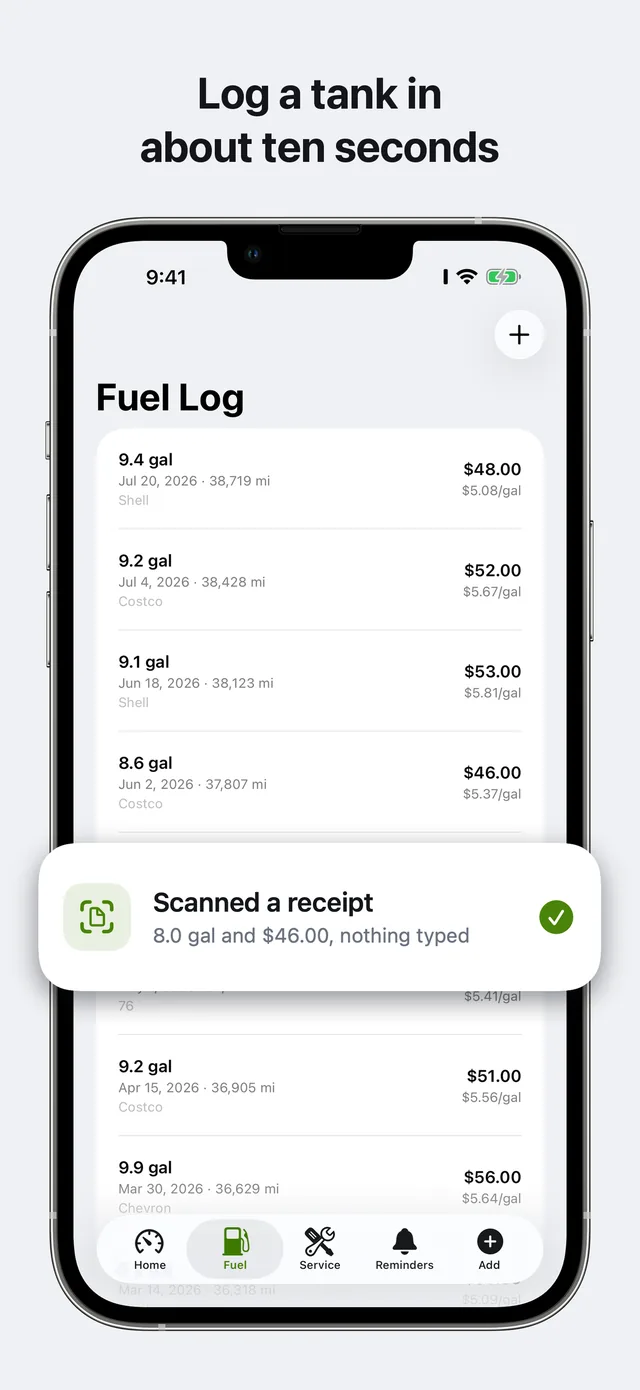
Ten seconds per fill-up or charge
Full-tank method for gas, kWh logging for EVs. Price per unit and cost per mile computed for you. Scan the receipt and the row fills itself in.
EV & Tesla: Zero cloud login
Track your Tesla's battery health, charging costs in kWh, and tire wear with ZERO API login. 100% offline via SwiftData & your own private iCloud. No Tesla credentials required.
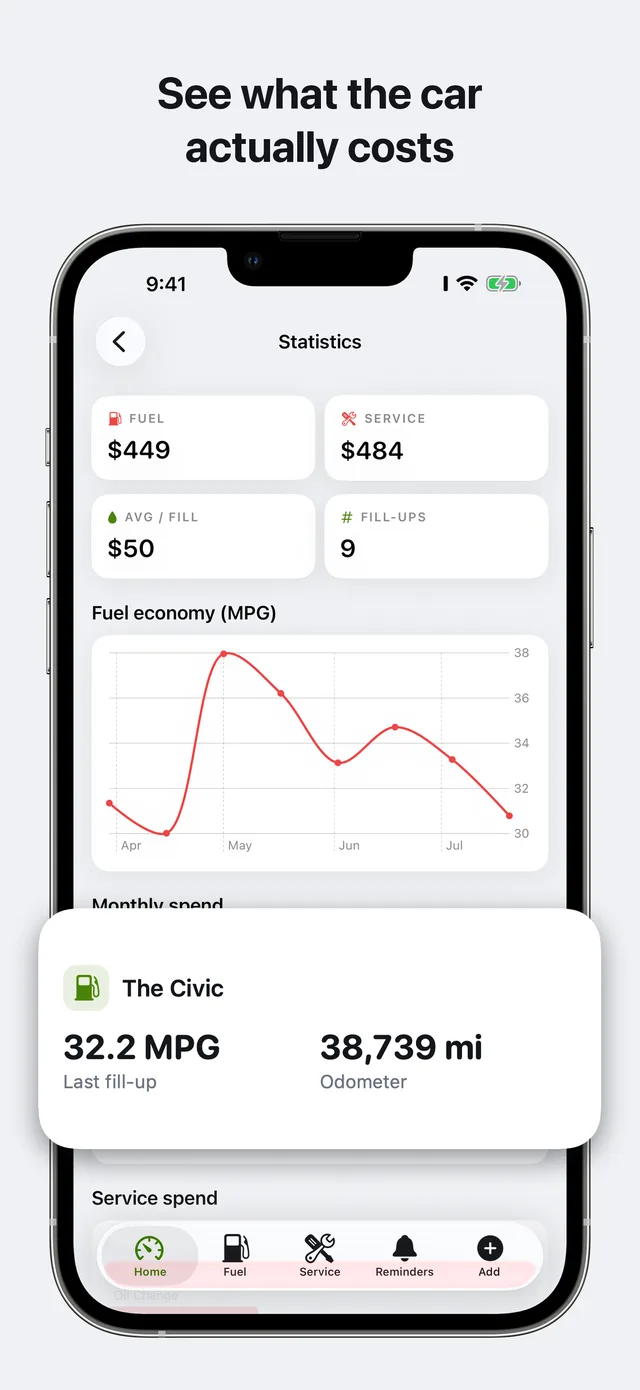
Trends, not just rows
Fuel-economy trend, monthly spend, lifetime cost per mile. Nothing to configure and no chart builder to learn.
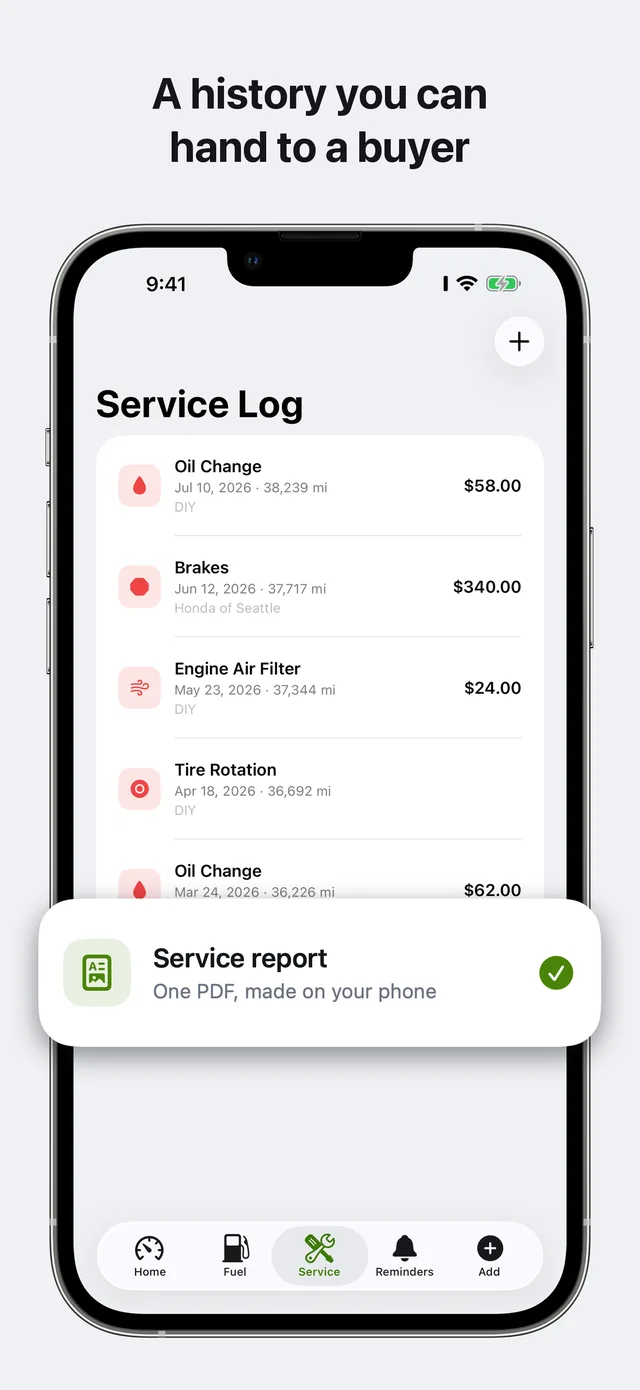
A history you can hand over
One-tap CSV export and a formatted PDF service report for your mechanic, or the next owner. Both generated on the device.
Reminders in miles or months
Whichever comes first. Local notifications — nothing pings a server to fire them.
Actually native
Home Screen widgets, Siri Shortcuts, and a design that matches iOS rather than a website in an app shell.
No account, no community
Nothing published, no username, no public profile. Sign-in is optional and only ever links a Pro purchase across devices.
Coming from Fuelly, CARFAX, or a spreadsheet
Carvico imports the CSV exports of Fuelly, Simply Auto, Drivvo, Fuelio, aCar, and Road Trip MPG — years of history in one tap. Step-by-step: leaving Fuelly, leaving Simply Auto, leaving CARFAX Car Care. Still on a spreadsheet? Take the free CSV log template — it imports here later in one tap.
Your data stays yours
Most car apps put your service history on their servers. Some sell it. Carvico is local-first: there is no Carvico server holding your records. This is the complete list of what ever leaves the device.
| Data | Where it goes | When |
|---|---|---|
| Fuel, service, reminders, vehicles, documents | Your device and your personal iCloud (private database) | Always — never touches our servers |
| Tesla / EV account credentials | Never requested | Zero cloud login — 100% offline on device |
| Sign-in identity (email, name) | Apple / Google sign-in | Only if you sign in, to link a Pro purchase |
| Purchase receipt | RevenueCat | Only on purchase or restore |
| Receipt photo | Transiently to Google Gemini via our proxy, never stored | Only when you use AI receipt scan |
Full detail in the privacy policy.
Free to start, Pro when you need it
No feature is held hostage on a server. Your data is exportable either way.
- One vehicle
- Fuel and service logging
- Real full-tank MPG and cost tracking
- Maintenance reminders
- Widgets and Siri Shortcuts
- Everything in Free, unlimited vehicles
- CSV and PDF export
- iCloud sync across your devices
- Full statistics
- More AI receipt scans
Answered
Where is my car data stored?
On your iPhone, and in your personal iCloud private database if you enable sync. Carvico has no server that holds your records. No ads, no trackers, no data selling.
How does Carvico calculate fuel economy?
Using the full-tank method, which handles partial fill-ups correctly. Price per unit and cost per mile are computed automatically, in MPG or L/100km, any currency.
Do I need an account?
No. Sign-in is optional and only used to link a Pro purchase across devices. You can use Carvico entirely as a guest.
Can I export my service history?
Yes. One-tap CSV export and a formatted PDF service report you can hand to a mechanic or the next owner when you sell. Both are generated entirely on your device.
How does AI receipt scanning handle my photos?
When you scan a receipt, the photo is sent transiently through our proxy to Google Gemini to read the numbers, then discarded. It is never stored. Only a daily scan count is kept.
Is Carvico a good alternative to Fuelly or a spreadsheet?
If you're tracking mileage in Fuelly, a notes app, or a spreadsheet, Carvico gives you the same fill-up log plus service history, PDF reports, and reminders, private on your device with no account or community profile required.
Does Carvico track electric vehicles and Tesla without an API login?
Yes. Track charging sessions (kWh, home vs. Supercharger rates, mi/kWh efficiency) and battery health baselines completely offline. Unlike other apps that demand your Tesla account password and live GPS location, Carvico requires zero API access and zero passwords. Everything is stored on your iPhone and your personal iCloud only.
How do I check battery health on a Tesla?
You can run the onboard battery health test in Tesla Service Mode (which discharges and recalibrates the traction pack over 12–24 hours), or instantly calculate your estimated State of Health (SoH) and degradation against fleet benchmarks with our free Tesla Battery Health Calculator.
How much does charging a Tesla cost at home?
At the US national residential average rate ($0.17/kWh), fully charging a Tesla Model 3 or Model Y at home costs roughly $9 to $14 from empty. Charging during utility off peak electricity times (typically 11 PM to 7 AM at $0.08–$0.11/kWh) lowers the cost to under $8 per full cycle, yielding an operating cost under 3 cents per mile. Work out your exact numbers with our free EV Charging Cost Calculator.
Start with your next fill-up
Free, no account, and nothing to migrate — the first tank you log is already a real MPG figure. Coming from Fuelly, Drivvo or a spreadsheet, your CSV imports in one tap.
Download on theApp Store iPhone · iOS 17 or later · Free to start